
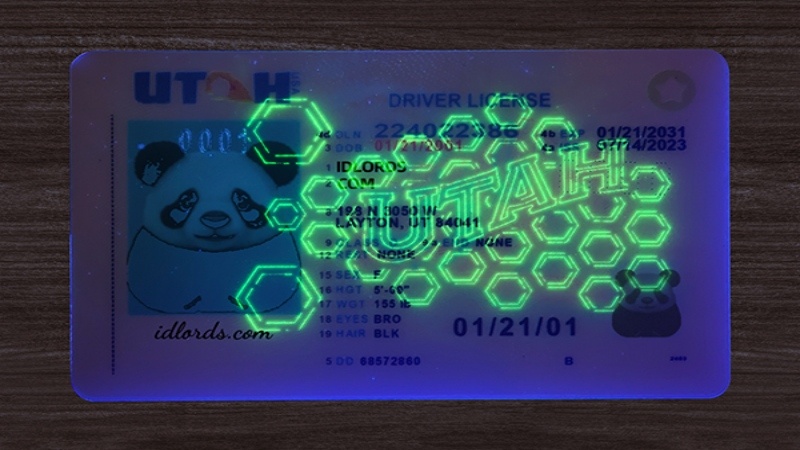
How ID Scanners Verify Driving Licenses has become an essential part of modern security. Businesses, government agencies, financial institutions, hotels, casinos, dispensaries, and retailers rely on advanced technology to determine whether a driver’s license is genuine before providing services or granting access.
One of the most reliable verification methods is an ID scanner. These devices analyze multiple security features found on a driver’s license within seconds. Rather than simply checking the appearance of the card, ID scanners inspect digital and physical information to determine whether the document is authentic.
Understanding how ID scanners verify driving licenses helps businesses improve fraud prevention while educating individuals about modern identity verification technology.
If you’re interested in learning more about license security features and counterfeit detection, explore our complete Fake Driving License Guide on IDLord for additional insights into how modern identification documents are designed and verified.
Why Driver’s License Verification Matters
Identity fraud continues to increase worldwide. Criminals may attempt to use altered, stolen, or counterfeit driver’s licenses to:
- Purchase age-restricted products
- Open financial accounts
- Rent vehicles
- Enter restricted locations
- Commit financial fraud
- Bypass security checkpoints
Manual inspection alone isn’t always enough. Many counterfeit IDs closely resemble genuine licenses, making visual checks difficult even for trained employees.
This is why organizations increasingly rely on automated ID verification systems.
What Is an ID Scanner?
An ID scanner is an electronic device or software application that reads information stored on a driver’s license and compares it with built-in validation rules.
Modern scanners typically analyze:
- PDF417 barcodes
- OCR-readable text
- Magnetic stripes (older licenses)
- Security layouts
- Card formatting
- Embedded identification data
- Expiration dates
- Date of birth
- License numbers
Within only a few seconds, the scanner determines whether the document appears authentic or contains suspicious inconsistencies.
Reading the PDF417 Barcode

Most North American driver’s licenses contain a PDF417 barcode on the back.
This barcode stores encoded information, including:
- Full name
- Address
- Date of birth
- License number
- Issue date
- Expiration date
- Physical characteristics
- Issuing state
The scanner first captures the barcode image using a high-resolution sensor.
It then decodes the information and verifies whether the barcode follows official formatting standards established by licensing authorities.
Poor barcode formatting, missing fields, or corrupted data may indicate that the license has been altered or reproduced incorrectly.
Optical Character Recognition (OCR)
Modern ID scanners also use Optical Character Recognition (OCR).
OCR extracts printed information from the front of the driver’s license, including:
- Name
- Date of birth
- Address
- License number
- Issue date
- Expiration date
After extracting this information, the software compares it against the barcode data.
If the printed text and barcode contain different information, the scanner immediately flags the license for further review.
For example:
- Barcode says, John Smith
- Printed card says, Michael Brown
This mismatch strongly suggests tampering or document alteration.
Checking Data Consistency
Verification software performs dozens of automated consistency checks.
These include:
- Valid license number format
- Correct date sequence
- Logical issue and expiration dates
- Age verification
- State-specific formatting
- Data completeness
Even small inconsistencies may indicate counterfeit production.
For example:
A license showing an issue date after its expiration date would immediately fail validation.
Likewise, an impossible birth date or invalid state code would trigger an alert.
Verifying Security Layout
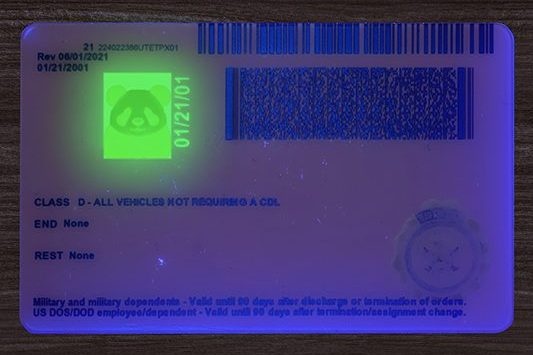
Professional ID scanners compare the license layout against official templates.
Each state or jurisdiction follows strict design standards.
The software examines:
- Font placement
- Text alignment
- Logo positions
- Header spacing
- Barcode location
- Image dimensions
- Color patterns
Counterfeit licenses often contain subtle formatting differences that are difficult to detect manually but easily recognized by verification software.
Reading Magnetic Stripes
Some older driver’s licenses still include magnetic stripes.
Although many jurisdictions now rely primarily on barcodes, magnetic stripes remain compatible with certain verification systems.
The stripe may contain:
- Identification number
- License information
- Encoded personal data
The scanner compares this information with both the barcode and printed text.
Any mismatch increases the likelihood that the document has been altered.
Validating State Standards
Every licensing authority follows specific formatting requirements.
An ID scanner contains databases that recognize these standards.
Examples include:
- Barcode structure
- Character length
- Date formatting
- Field order
- Mandatory information
- Security codes
If a driver’s license does not match the expected format for its issuing jurisdiction, the software may classify it as suspicious.
Detecting Expired Licenses
One of the simplest yet most important verification steps involves checking expiration dates.
The scanner instantly determines whether the driver’s license remains valid.
Expired licenses may no longer be accepted for certain transactions, making automatic expiration detection valuable for businesses.
Age Verification
Many retailers use ID scanners primarily for age verification.
Rather than manually calculating someone’s age, the scanner automatically determines whether the individual meets the legal age requirement.
This reduces:
- Human error
- Slow customer service
- Compliance violations
- Incorrect age calculations
Businesses selling age-restricted products benefit significantly from this automated process.
AI-Powered Fraud Detection
Modern ID verification systems have evolved beyond simple barcode scanning. Many advanced scanners now use Artificial Intelligence (AI) and machine learning to detect suspicious patterns that traditional verification methods may overlook.
AI-powered systems analyze numerous characteristics simultaneously, including:
- Font consistency
- Image quality
- Card dimensions
- Barcode integrity
- Text alignment
- Document template matching
- Printing irregularities
By comparing the scanned license against thousands of authentic document templates, AI can identify anomalies that suggest a counterfeit or altered ID. This technology significantly improves fraud detection while reducing false positives.
Cross-Referencing Multiple Data Sources
Some enterprise-grade ID verification solutions go a step further by cross-referencing license information with trusted databases or internal records.
These systems may verify:
- License status
- Duplicate records
- Previously flagged IDs
- Customer history
- Business watchlists
Cross-referencing enhances confidence in the verification process and helps organizations identify suspicious activity more effectively.
Common Security Features That ID Scanners Analyze
Modern driver’s licenses contain numerous security elements designed to prevent counterfeiting. While not every scanner can inspect every feature, many are capable of verifying multiple layers of protection.
Common security features include:
- PDF417 barcodes
- Holograms
- Ghost images
- Microprinting
- UV security features
- Laser engraving
- Raised text
- Fine-line background patterns
- Variable data printing
- Color-shifting inks
When several of these features fail validation, the scanner may classify the document as potentially fraudulent.
Benefits of Using ID Scanners
Businesses across many industries rely on ID scanners because they provide fast, accurate, and consistent identity verification.
Faster Verification
Manual inspection can take several minutes. An ID scanner typically completes verification in just a few seconds, improving efficiency and reducing wait times.
Improved Accuracy
Automated verification minimizes human error by analyzing multiple data points simultaneously, ensuring greater consistency.
Fraud Prevention
Advanced scanners detect many forms of counterfeit, altered, and fake driver’s licenses before they are accepted.
Regulatory Compliance
Businesses selling age-restricted products or operating in regulated industries can use ID scanners to support compliance with applicable laws and internal policies.
Better Customer Experience
Quick verification creates a smoother customer experience while maintaining high security standards.
Industries That Use ID Scanners
ID scanners are widely used in both public and private sectors.
Common industries include:
- Retail stores
- Hotels
- Banks
- Casinos
- Car rental companies
- Airports
- Government offices
- Healthcare facilities
- Nightclubs
- Cannabis dispensaries
- Financial institutions
- Security companies
These organizations depend on reliable identity verification to protect customers, employees, and business operations.
Limitations of ID Scanners
Although ID scanners are highly effective, they are not foolproof.
Some limitations include:
Sophisticated Counterfeits
Highly advanced counterfeit IDs may mimic many legitimate security features. Additional manual inspection may still be necessary.
Damaged Documents
Scratched barcodes, worn magnetic stripes, or damaged cards can prevent successful scanning.
Software Updates
Driver’s license designs change periodically. Verification software must be updated regularly to recognize the latest document templates.
Human Oversight
Technology should complement—not replace—trained personnel. Employees should understand how to identify suspicious behavior and know when to perform additional verification.
Best Practices for Businesses
To maximize the effectiveness of ID verification systems, organizations should follow these best practices:
- Use high-quality ID scanners.
- Keep verification software updated.
- Train employees regularly.
- Inspect physical security features when necessary.
- Verify customer photos.
- Check expiration dates.
- Store customer information securely.
- Follow applicable privacy regulations.
- Combine automated scanning with manual review for suspicious documents.
Implementing these practices creates a stronger defense against identity fraud.
How IDLord Helps You Learn About License Security

Understanding how ID scanners work is only one part of protecting against document fraud.
At IDLord, we provide educational resources that explain:
- Driver’s license security features
- Common counterfeit indicators
- Verification technologies
- Document design principles
- Identity verification best practices
For a more comprehensive understanding of counterfeit detection and license security, visit our Fake Driving License Guide, where you’ll find in-depth information about how authentic licenses are designed and how verification technologies help identify fraudulent documents.
FAQs
How do ID scanners read driver’s licenses?
Most ID scanners read the PDF417 barcode on the back of the license, extract printed information using Optical Character Recognition (OCR), and compare the data for consistency.
Can an ID scanner be used for verification?
Optical Character Recognition (OCR) is a technology that converts printed text on a driver’s license into digital information, allowing verification software to compare it with encoded barcode data.
Why is the PDF417 barcode important?
The PDF417 barcode stores essential identification details such as the holder’s name, address, date of birth, and license number. Scanners decode this information to verify consistency and authenticity.
Do all driver’s licenses contain barcodes?
Most modern driver’s licenses include a PDF417 barcode. Older licenses may also contain magnetic stripes, while newer designs primarily rely on barcode technology.
Can ID scanners verify age automatically?
Yes. ID scanners calculate the customer’s age instantly using the date of birth encoded on the license, helping businesses comply with age-restricted sales requirements. Are ID scanners completely accurate?
ID scanners are highly accurate but not infallible. Regular software updates, employee training, and manual inspection remain important parts of a comprehensive verification process.
Conclusion
ID scanners have transformed the way organizations verify driver’s licenses. By combining barcode decoding, Optical Character Recognition (OCR), document template analysis, AI-powered fraud detection, and security feature validation, these systems provide a fast and reliable method for identifying authentic licenses and detecting potential fraud.
While advanced scanners significantly improve accuracy, businesses should remember that technology works best alongside trained personnel and well-defined verification procedures. Staying informed about evolving security features and counterfeit techniques is essential for maintaining a secure identity verification process.
To learn more about driver’s license security features, counterfeit detection methods, and identity verification technology, explore the Fake Driving License Guide on IDLord. It provides valuable educational insights into how genuine licenses are designed and how modern verification systems help protect businesses and consumers from identity fraud.
