
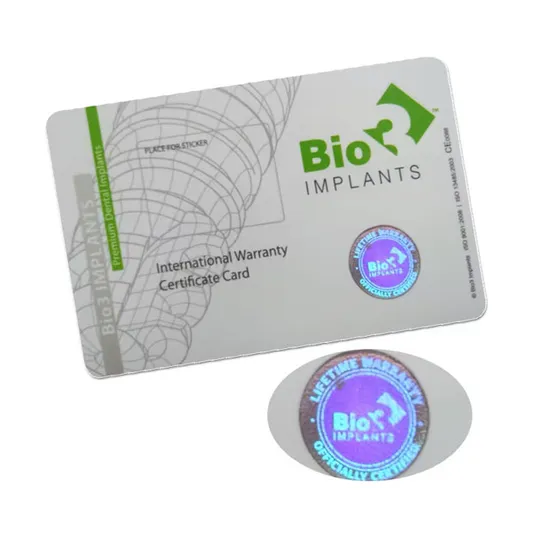
In today’s digital and security-conscious world, ID cards are more than just identification tools—they are critical assets for verifying identity, preventing fraud, and protecting sensitive information. Whether used in corporate offices, schools, government institutions, or events, ID cards must incorporate advanced security features to stay ahead of counterfeiters.
Understanding the key ID card security features can help businesses and organizations choose the right solutions to protect their systems and people. In this guide, we will explore the most important ID card security features you should know, how they work, and why they matter.
What Are ID Card Security Features?
ID card security features are specialized elements embedded into ID cards to prevent duplication, tampering, or unauthorized use. These features range from visible elements like holograms to hidden technologies like RFID chips.
They serve three main purposes:
- Authentication – Verifying that the card is genuine
- Identification – Confirming the identity of the holder
- Security – Preventing fraud and misuse
Top ID Card Security Features You Should Know
1. Holographic Overlays
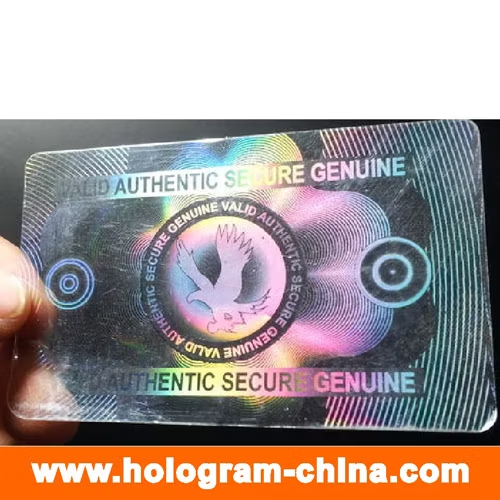
Holograms are one of the most recognizable security features. They display a 3D image that changes when viewed from different angles.
Benefits:
- Difficult to replicate
- Adds visual authenticity
- Enhances brand identity
2. Microtext Printing
Microtext is extremely small text printed on the card that is not visible to the naked eye but can be seen under magnification.
Benefits:
- Prevents duplication
- Hard to reproduce with standard printers
- Adds a hidden layer of protection
3. UV (Ultraviolet) Printing
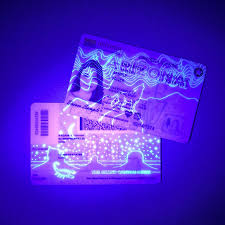
UV features are invisible under normal light but appear when exposed to ultraviolet light.
Benefits:
- Hidden security layer
- Easy verification using UV scanners
- Used in high-security environments
4. Barcodes and QR Codes
Barcodes and QR codes store encoded data that can be scanned for quick verification.
Benefits:
- Fast data retrieval
- Cost-effective
- Supports access control systems
5. RFID and Smart Chips
Radio Frequency Identification (RFID) and smart chips store digital data and enable contactless scanning.
Benefits:
- High-level security
- Enables access control
- Tracks attendance and movement
6. Magnetic Stripes
Magnetic stripes store information that can be read by card readers.
Benefits:
- Easy integration with existing systems
- Affordable security feature
- Common in access control cards
7. Ghost Images
A ghost image is a smaller duplicate of the cardholder’s photo printed on the card.
Benefits:
- Prevents photo substitution
- Adds visual verification
- Enhances authenticity
8. Laser Engraving
Laser engraving etches data directly into the card material, making it permanent.
Benefits:
- Extremely durable
- Tamper-proof
- Long-lasting security
9. Watermarks
Watermarks are faint designs embedded into the card material.
Benefits:
- Difficult to replicate
- Adds authenticity
- Common in government IDs
10. Signature Panels
Signature panels allow cardholders to sign their ID cards.
Benefits:
- Personal verification
- Prevents unauthorized use
- Adds a human authentication layer
Why ID Card Security Features Matter
Security features are not just optional—they are essential. Without proper protection, ID cards can be easily duplicated or misused.
Key reasons why they matter:
- Prevent identity theft
- Protect sensitive data
- Ensure compliance with security regulations
- Build trust within organizations
How to Choose the Right Security Features
Choosing the right ID card security features depends on your needs and budget.
Consider the Following:
- Level of Security Required: High-risk environments need advanced features like RFID and UV printing
- Budget: Basic features like barcodes are cost-effective
- Usage: Access control, employee IDs, or event passes
- Scalability: Ensure the system can grow with your organization
Best Practices for ID Card Security
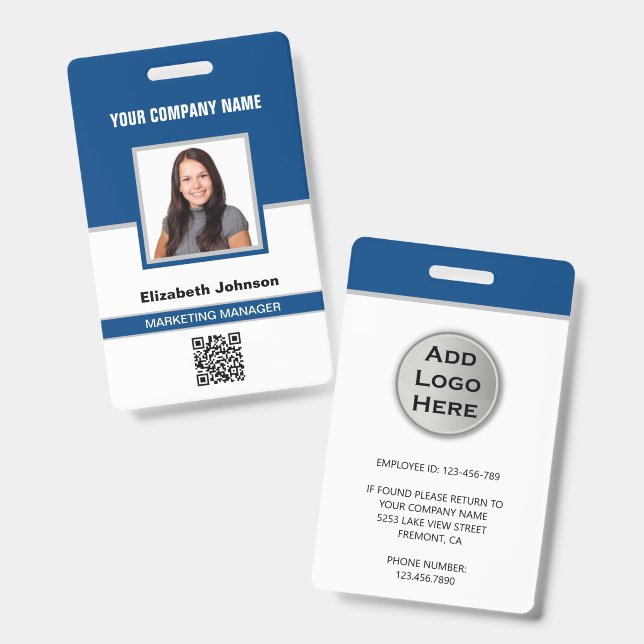
- Use multiple layers of security
- Regularly update card designs
- Train staff to verify ID cards
- Replace outdated cards
- Integrate with digital security systems
FAQs
1. What is the most secure ID card feature?
RFID chips and smart cards are among the most secure due to encrypted data storage and contactless verification.
2. Can ID cards be completely fraud-proof?
No system is 100% fraud-proof, but combining multiple security features significantly reduces risk.
3. Are holograms enough for security?
Holograms are effective but should be combined with other features like microtext and UV printing.
4. What is the difference between a barcode and RFID?
Barcodes require scanning, while RFID allows contactless data transmission.
5. How often should ID cards be updated?
It is recommended to update ID cards every 2–3 years or when security needs change.
Conclusion
ID card security features are essential for protecting identities, preventing fraud, and maintaining organizational security. From holograms and microtext to RFID chips and UV printing, each feature plays a crucial role in enhancing the safety and reliability of ID cards.
By understanding and implementing the right combination of these features, businesses and institutions can create a secure identification system that stands up to modern threats. Investing in advanced ID card security is not just a smart decision—it’s a necessary one in today’s world.